
On this page, you can download HyperOS 3 (OS3.0.302.0.WBNTWXM) flash file for Redmi 15C/POCO C85 (Taiwan) based on Android 16 version.

The Redmi 15C/POCO C85 (Codenamed: dew) HyperOS OS3.0.302.0.WBNTWXM for Taiwan is available as:
- Full Fastboot ROM – Full ROM package for clean installs.
Follow the detailed tutorial on how to install HyperOS OS3.0.302.0.WBNTWXM on Redmi 15C/POCO C85 (Taiwan) from here – Fastboot ROM.
Disclaimer
Flashing is a tedious process and should be carried out carefully; otherwise, it may permanently damage your device. XiaomiAdvices.com or Xiaomi is not responsible for any damage that may be caused to your device while flashing. Proceed at your own risk.
Redmi 15C/POCO C85 HyperOS OS3.0.302.0.WBNTWXM Taiwan Stable Fastboot ROM
| FASTBOOT ROM | |
|---|---|
| File Name | dew_tw_global_images_OS3.0.302.0.WBNTWXM_20260805.0000.00_16.0_tw_afe8e5307b.tgz |
| Device | Redmi 15C/POCO C85 |
| Codename | dew |
| HyperOS Version | OS3.0.302.0.WBNTWXM |
| Android | 16.0 |
| Branch | Stable |
| Region | Taiwan |
| Type | Full |
| Size | 5.8 GB |
| Date | 2026-08-05 |
Changelog
How to Flash HyperOS OS3.0.302.0.WBNTWXM Fastboot ROM on Redmi 15C/POCO C85 (Taiwan)
- Download and extract the Redmi 15C/POCO C85 HyperOS OS3.0.302.0.WBNTWXM Fastboot ROM on your computer. Make sure to check if the ROM file suffix is “.tgz“. If it is “.gz“, please rename it to “.tgz“.
- Download and extract Xiaomi HyperOS ROM Flash Tool on your computer.
- Make sure your Redmi 15C/POCO C85’s bootloader is unlocked.
- Power off and boot Redmi 15C/POCO C85 (Taiwan) into Fastboot Mode by pressing the Volume Down and Power buttons together until you see the Fastboot logo.

- Connect your device to computer using USB Cable.
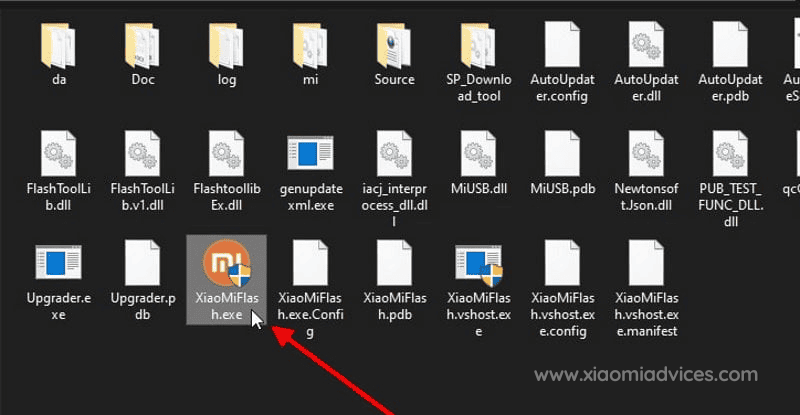
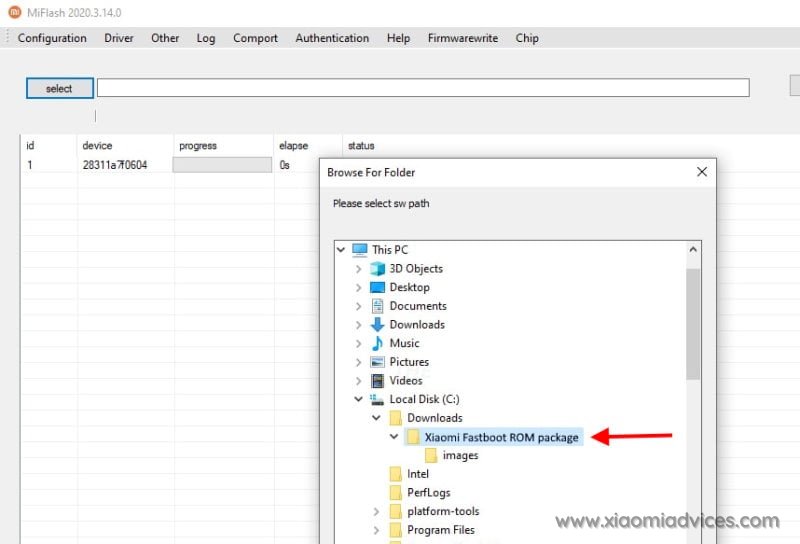
- Run XiaoMiFlash.exe and select the HyperOS OS3.0.302.0.WBNTWXM Fastboot ROM folder.
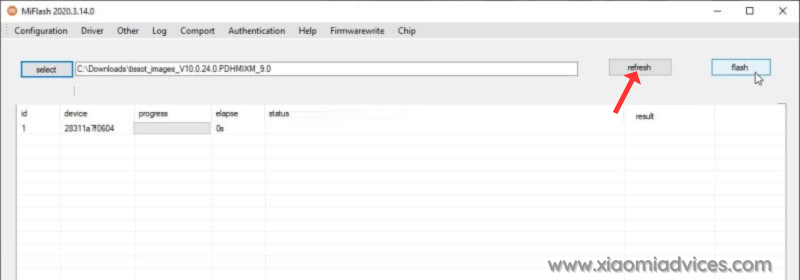
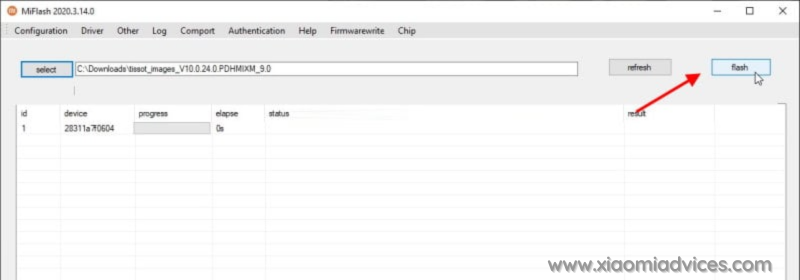
- Click on refresh to detect your device and click on flash to start the flashing process.
Follow the detailed guide on how to flash HyperOS OS3.0.302.0.WBNTWXM Fastboot ROM on Xiaomi, Redmi and POCO devices here.